Case study · Integration & sync platform
DataBridge
Connects an API or webhook to another API, maps the fields between them, and shows exactly which records failed.
Retries only failures a retry can fix, with live run progress and credentials that never leave the server.
- Type
- Personal open-source project
- Automated tests
- 39 (pytest)
- Built with
- Python · FastAPI · httpx
- Live demo
- Runs locally — not hosted
Overview
What it does
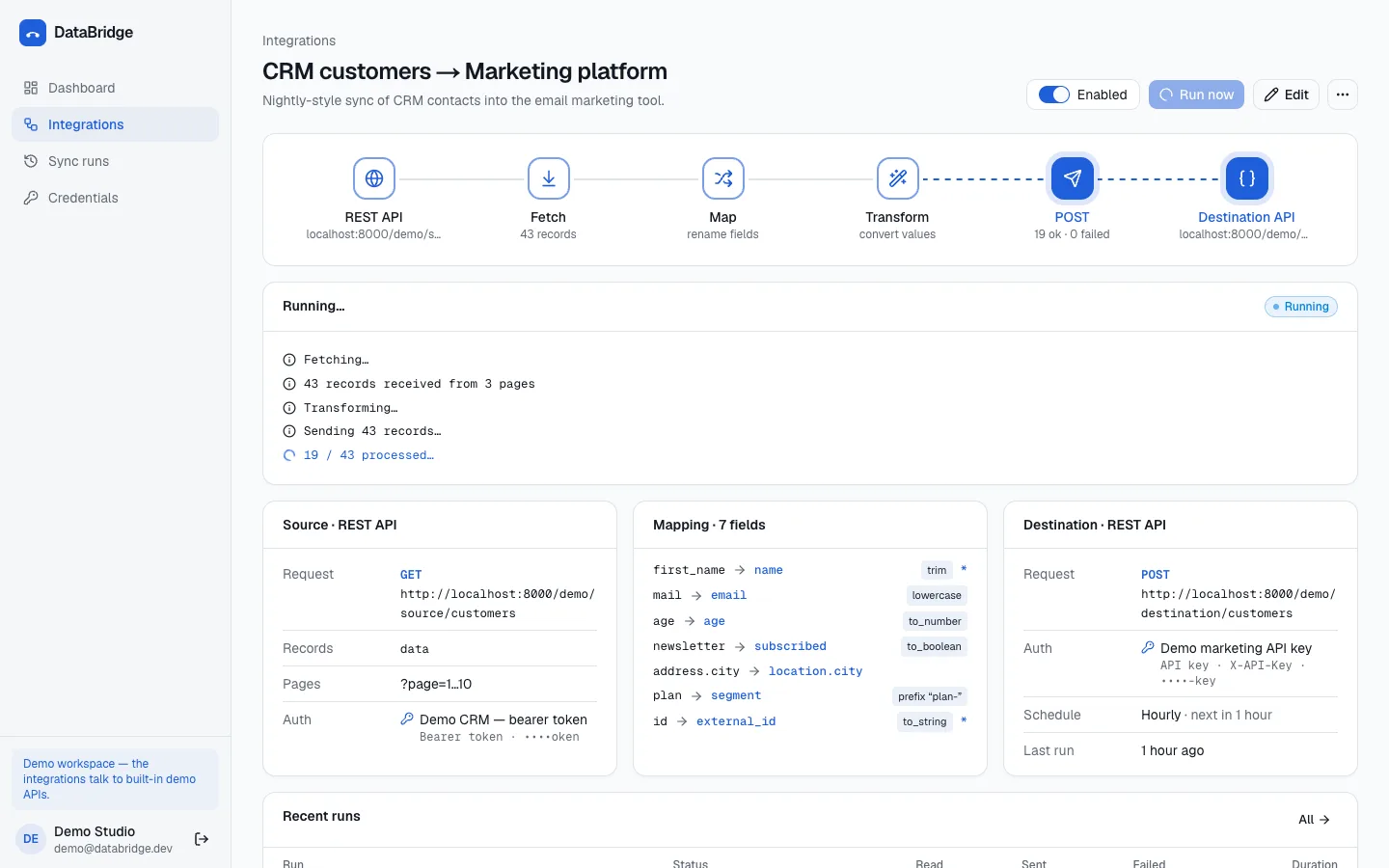
DataBridge moves records from a source — a REST API or an incoming webhook — to a destination API. You map fields declaratively, apply a small named set of transforms (no scripting language), run on a schedule or on demand, and every run keeps a log of what was delivered and which records failed, and why.
Problem
Small teams glue their tools together with scripts that have no retries and no memory: when a sync breaks, nobody knows which records were lost or why.
Solution
Integrations are data, not scripts: a source, a field mapping with transforms, a destination and a schedule. A staged runner fetches, maps, transforms and sends, retries only failures that a retry can fix, and stores failed records (with personal data masked) next to the reason they failed.
Screenshots
From the running application
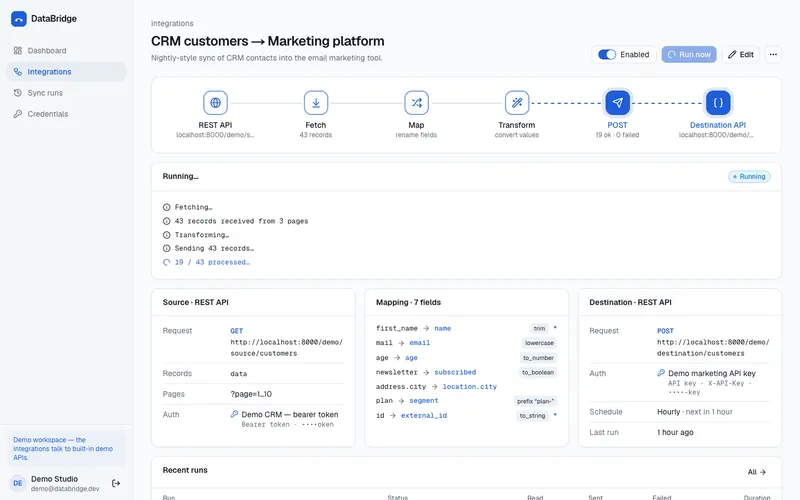
A sync run in progress: fetch, map, transform and send stages 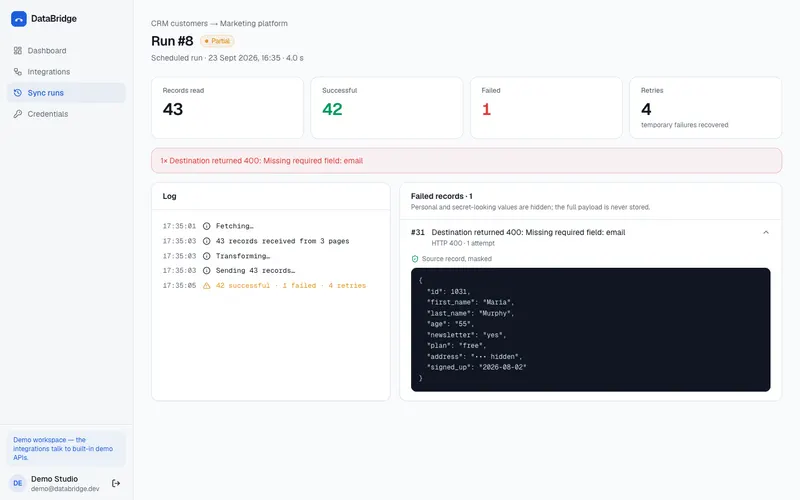
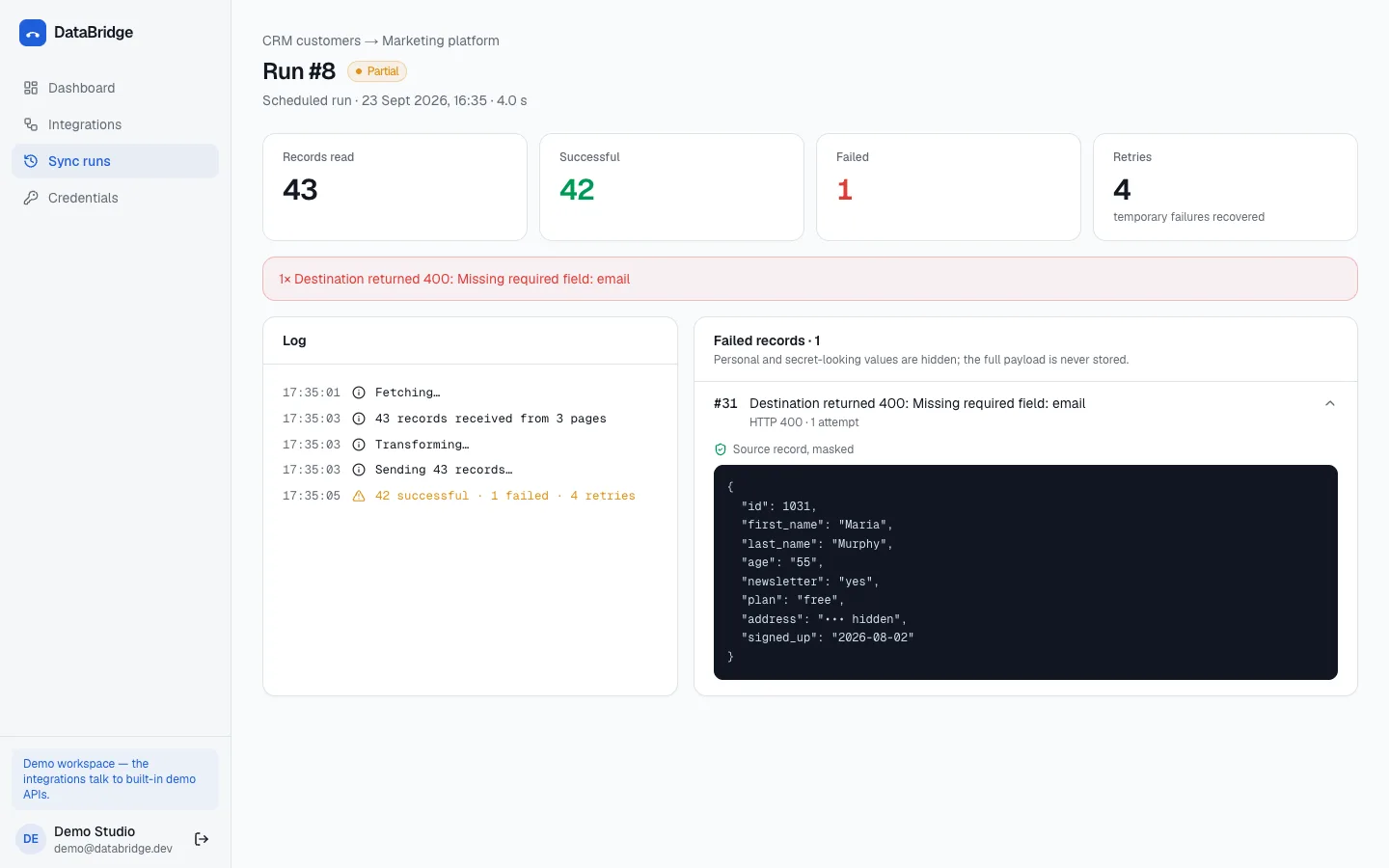
Run detail with delivered records and a failed record with its reason 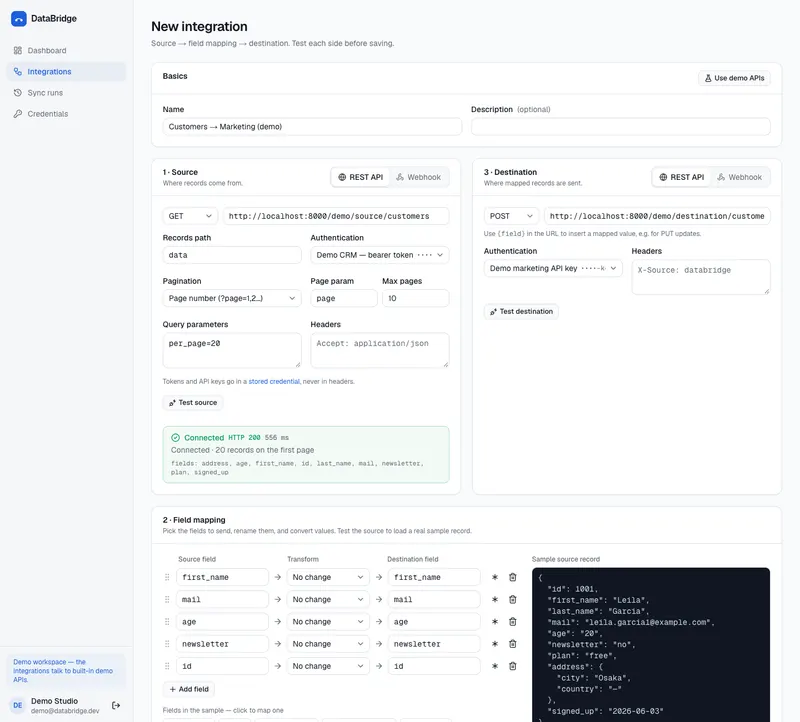
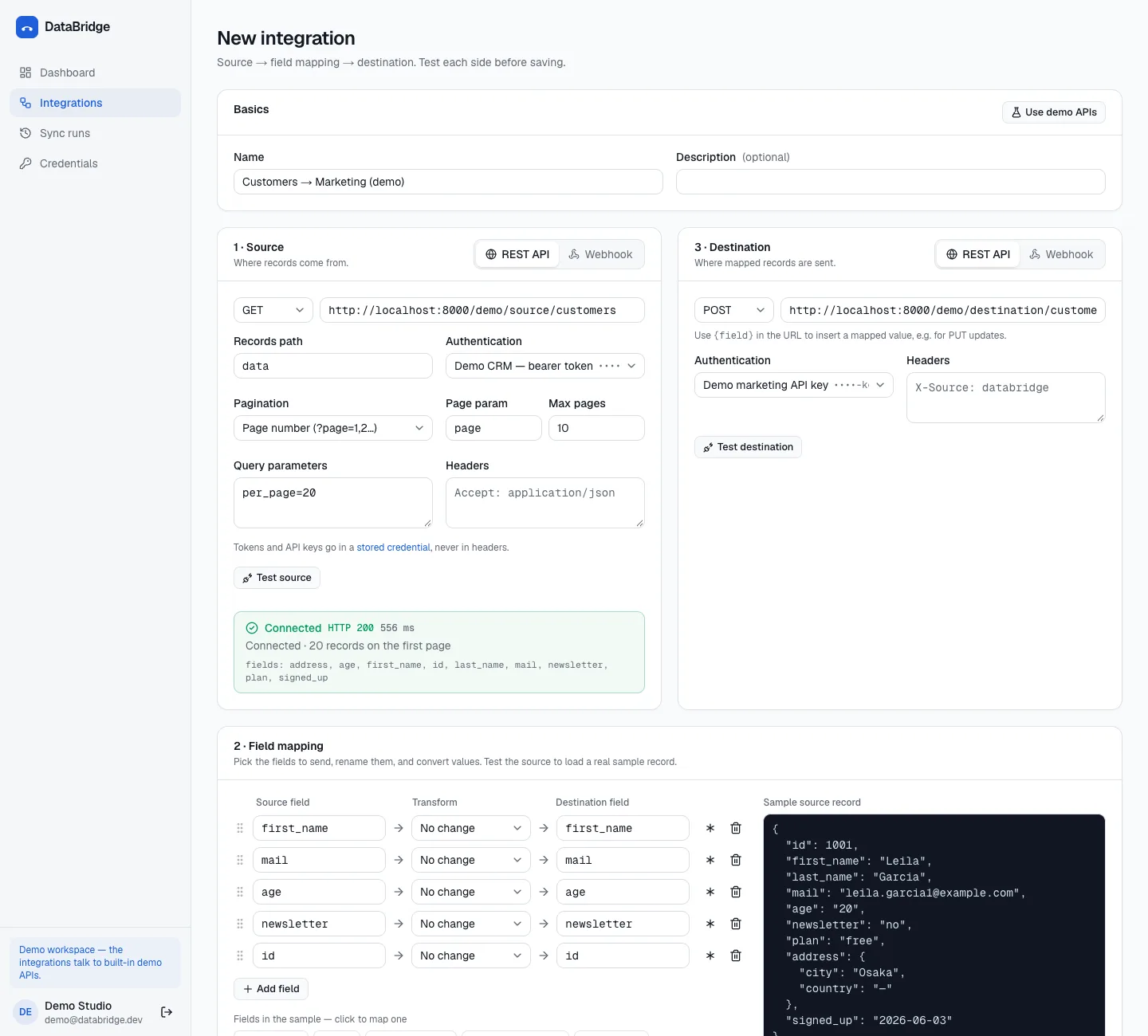
New integration: tested source, field chips and a live mapping preview 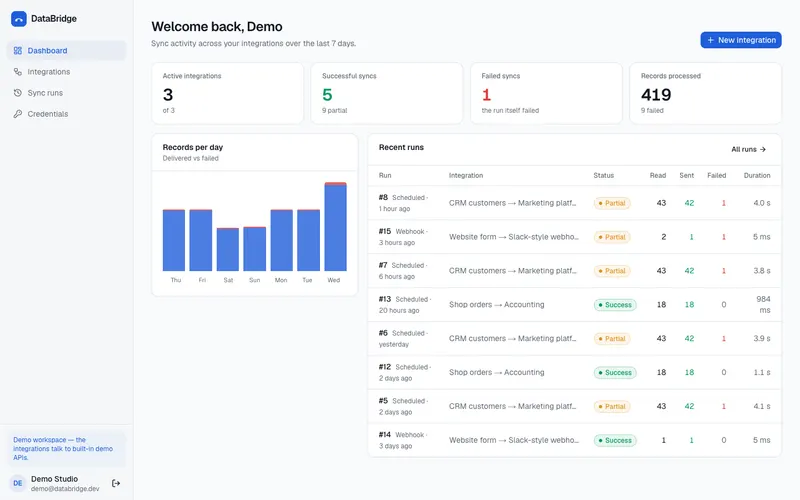
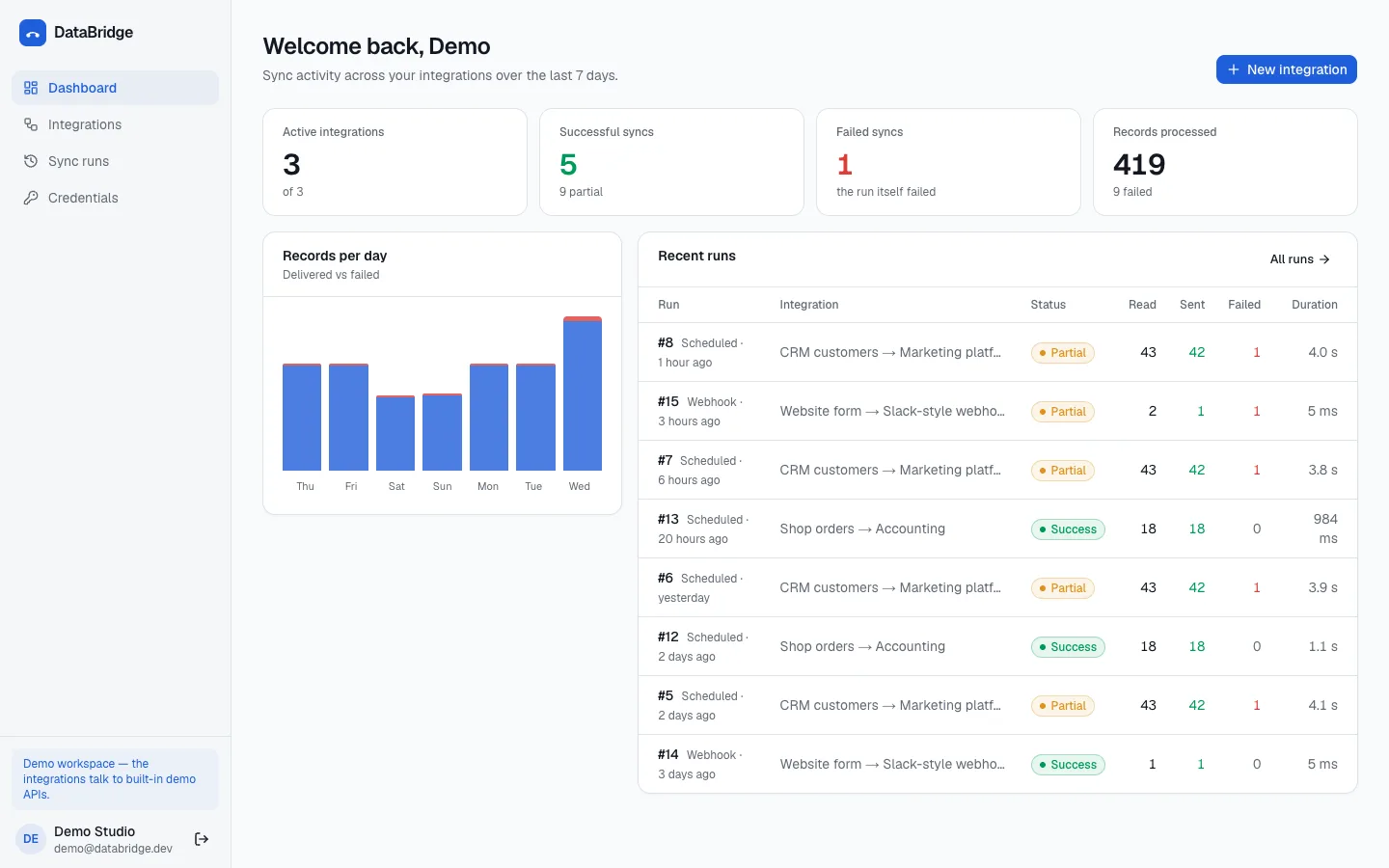
Dashboard with run totals and a 7-day chart 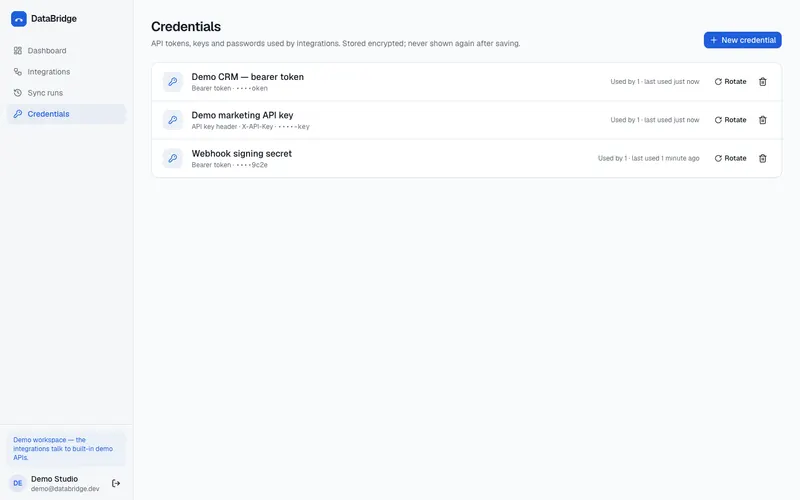
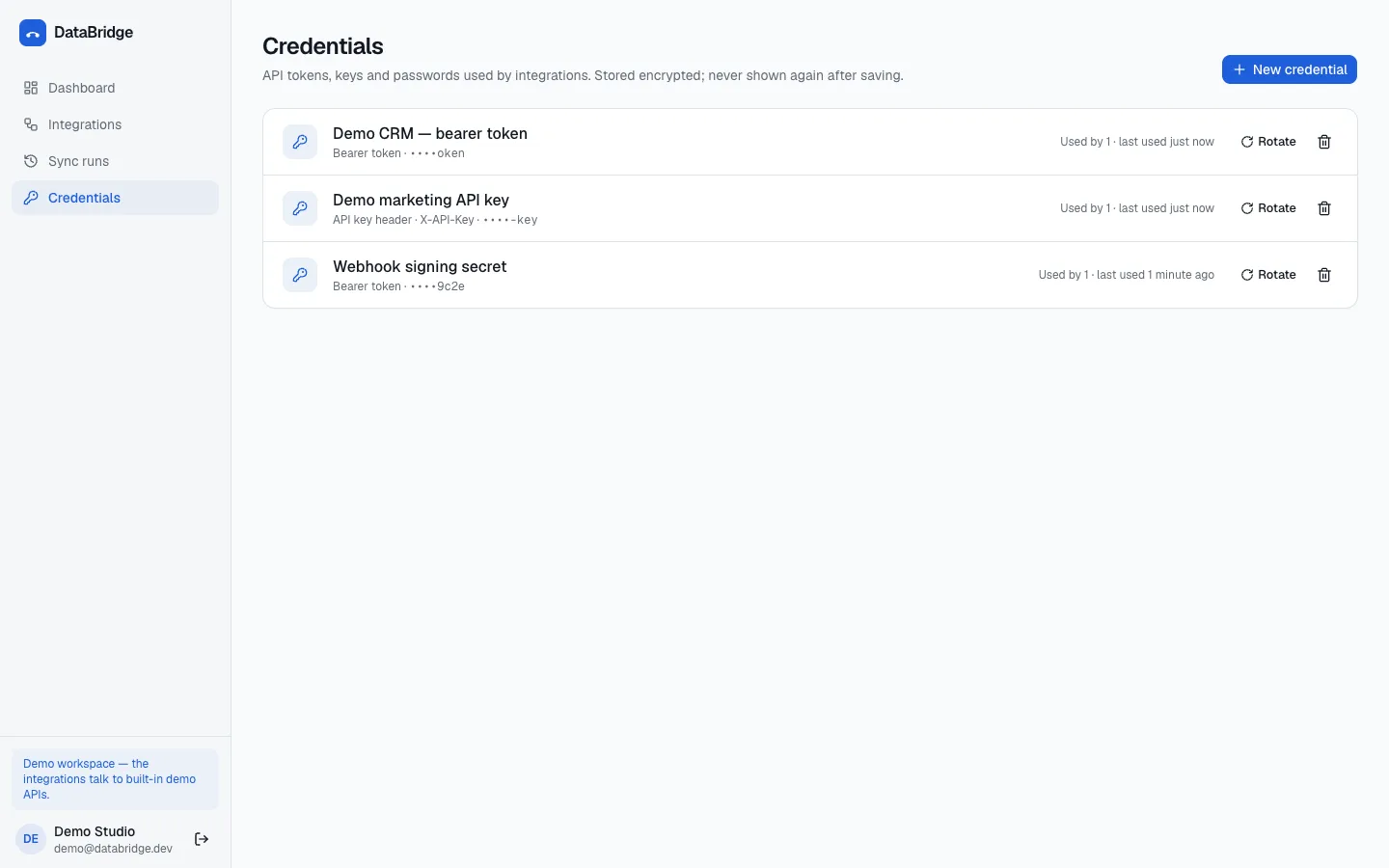
Credentials shown only as a masked hint
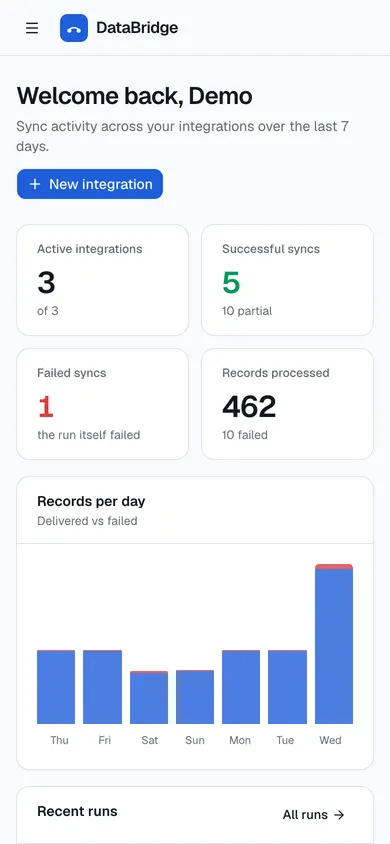
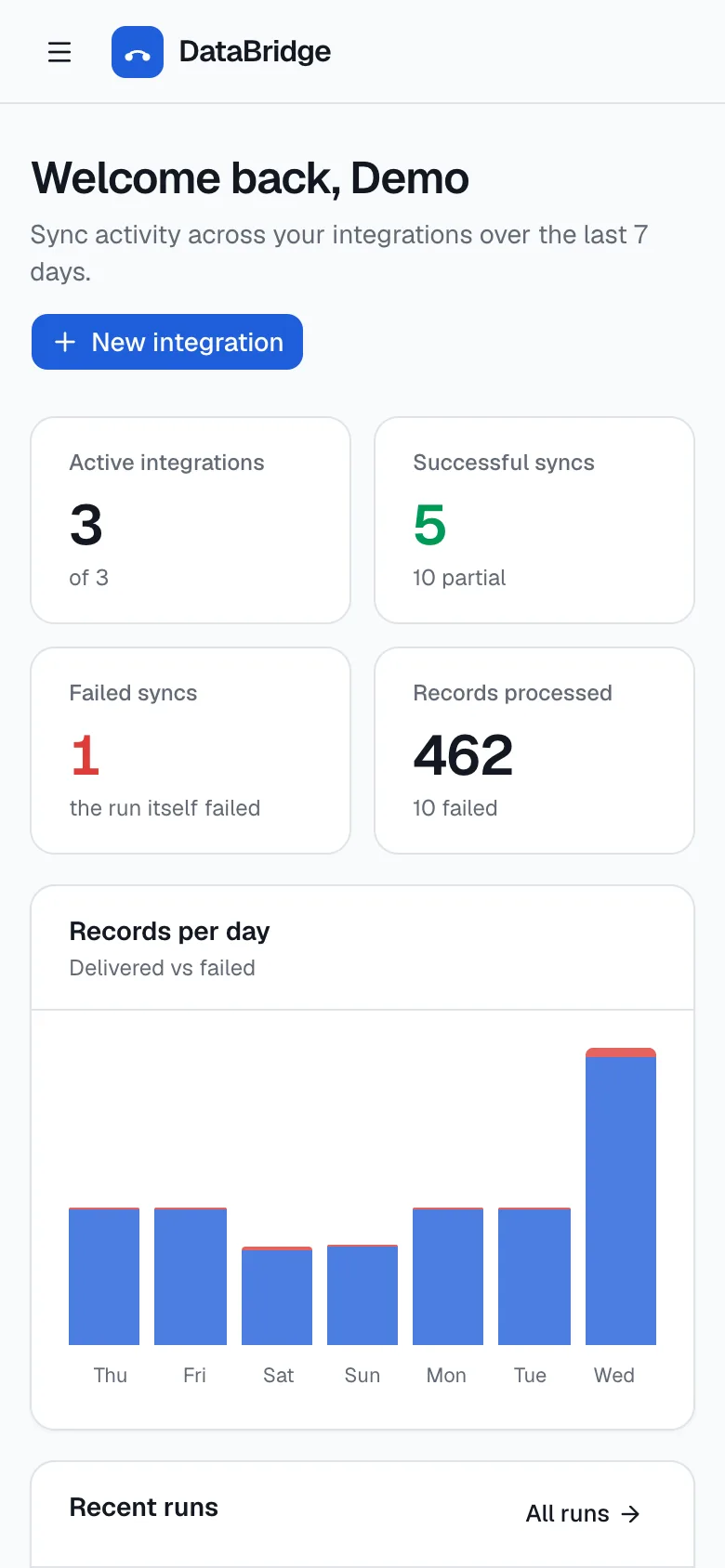
Dashboard on a phone
Captured from the app running locally with its seeded demo data. Select an image to open it full size.
Architecture
How the pieces fit
- Source API → Run engine
- Incoming webhook → Run engine
- Scheduler → Run engine
- Run engine → Field mapping
- Field mapping → Transforms
- Transforms → Destination
- Transforms → Run log
- Core service
- External system
- Storage / entry point
Core features
What's in it
Test before you save
Source and destination are tested live from the editor — HTTP status and a sample record — before an integration exists.
Field mapping
Click fields from the sample to map them, add transforms (trim, to_number, prefix…) and see a live preview of the outgoing record.
Schedules & manual runs
Runs on a schedule or on demand, with staged progress the dashboard animates as it happens.
Retries that make sense
Exponential backoff for timeouts, 429 and 5xx only; a 4xx is a real answer and is never retried.
Inspectable failures
Each run lists the records that failed and why (e.g. “Missing required field: email”), with personal data masked.
Credentials
Encrypted at rest and only ever shown as a •••• hint; outgoing webhooks are HMAC-signed.
Technical decisions
Interesting problems, and how they're solved
- 01
One SSRF-safe HTTP client
Resolved addresses are checked against private ranges, redirects aren't followed, and response bodies are streamed with a size cap.
- 02
Runs are persisted in stages
The runner writes each stage as it goes, so the UI simply polls one run row to animate progress — no websockets needed.
- 03
Demo APIs in the same process
Seed data and 39 tests drive real demo source/destination APIs in-process through httpx's ASGI transport.
def retryable_status(status: int) -> bool:
    return status == 429 or status >= 500


async def send_with_retries(method: str, url: str, **kwargs: Any) -> tuple[HttpResponse | None, int, str | None]:
    """(response, attempts, error). ``response`` is None when no HTTP answer ever came back."""
    attempts = settings.retry_attempts
    error: str | None = None
    for attempt in range(1, attempts + 1):
        try:
            response = await request(method, url, **kwargs)
        except UnsafeURL:
            raise
        except RequestFailed as exc:
            error = str(exc)
            if not exc.retryable or attempt == attempts:
                return None, attempt, error
        else:
            if not retryable_status(response.status) or attempt == attempts:
                return response, attempt, None
            error = f"HTTP {response.status}"
        await asyncio.sleep(settings.retry_base_delay_seconds * (2 ** (attempt - 1)))
    return None, attempts, error
Stack & skills
Built with
Technology
- Python
- FastAPI
- httpx
- asyncio
- SQLAlchemy
- cryptography
- Next.js
- TypeScript
- Motion
What this project demonstrates
- API integrations
- Async HTTP (httpx)
- Retry & backoff strategy
- SSRF protection
- Data mapping
Repository & demo
Run it yourself
Seeded demo account: demo@databridge.dev / databridge-demo-1234. The demo source and destination APIs run inside the backend.
No public live demo is hosted. Everything below runs locally with Python 3.12+ and Node 20+.
$ git clone https://github.com/Moeijiro/databridge.git
$ cd databridge
$ make install
$ make seed
$ make api
$ make web
Have a project in mind?
I build APIs, automation systems, Discord integrations and full-stack applications. Tell me what it should do and I'll tell you how I'd build it.